Appearance
Mobile navigation bar
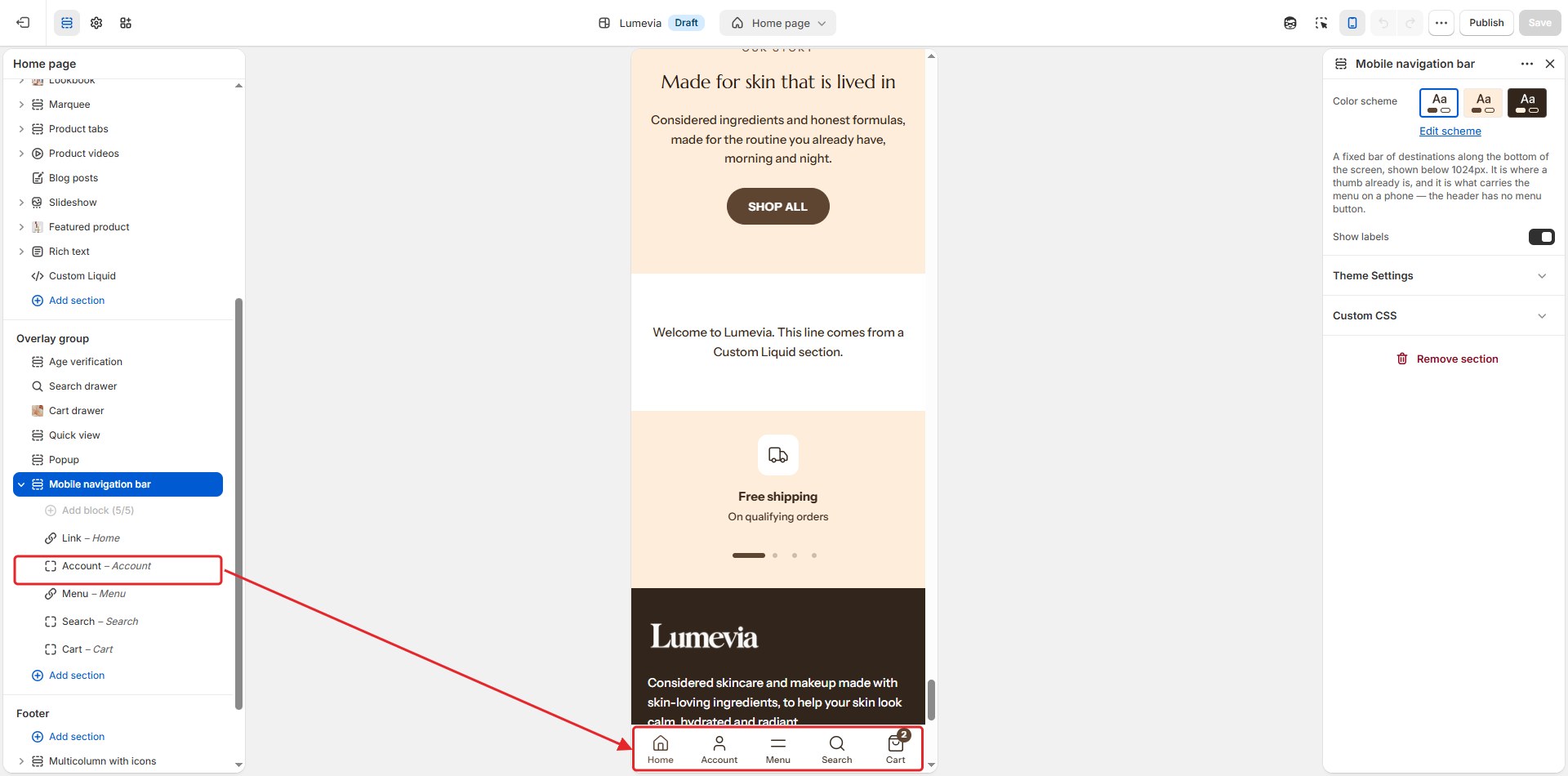
On phones and tablets, below 1024px, Vellure puts the most used destinations in a bar fixed to the bottom of the screen, where a thumb already is, for example home, the shop, the menu, search and the cart. It is also how customers open the menu on a phone: the header has no menu button.

Find it in the editor
The mobile navigation bar is in the Overlay group in the sidebar. To see it in the preview, switch the editor to the mobile view with the phone icon at the top.
Section settings
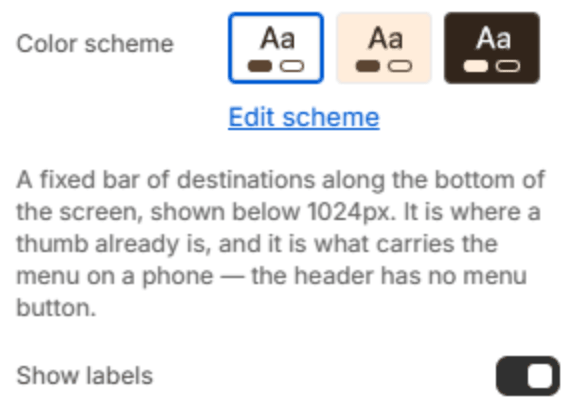
| Setting | Description |
|---|---|
| Color scheme | The colors of the bar. Schemes are edited in Theme settings → Colors. |
| Show labels | Shows a short label under each icon. Off, the bar shows icons only. |
Blocks
Each button in the bar is a block. Add them with Add block under the section in the sidebar, and drag them to change their order. Four or five buttons fit comfortably.
Link
A button to any page, for example the home page or a collection.

| Setting | Description |
|---|---|
| Label | The button's label. |
| Link | The page it opens. |
| Icon | The button's icon. |
Menu
Opens the menu drawer, with the header's menu and its menu banners. You can add one.

| Setting | Description |
|---|---|
| Label | The button's label. |
Note
Without a Menu block, or with the bar hidden, a menu icon appears in the header on phones instead, so customers can always open your menu.
Search
Opens the search drawer. You can add one.

| Setting | Description |
|---|---|
| Label | The button's label. |
Account
Opens the customer's account, or the sign-in page. You can add one.

| Setting | Description |
|---|---|
| Label | The button's label. |
Cart
Opens the cart drawer or the cart page. You can add one.
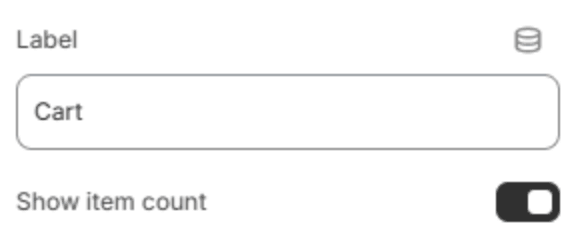
| Setting | Description |
|---|---|
| Label | The button's label. |
| Show item count | Shows how many items are in the cart on the button. |