Appearance
Collection tabs
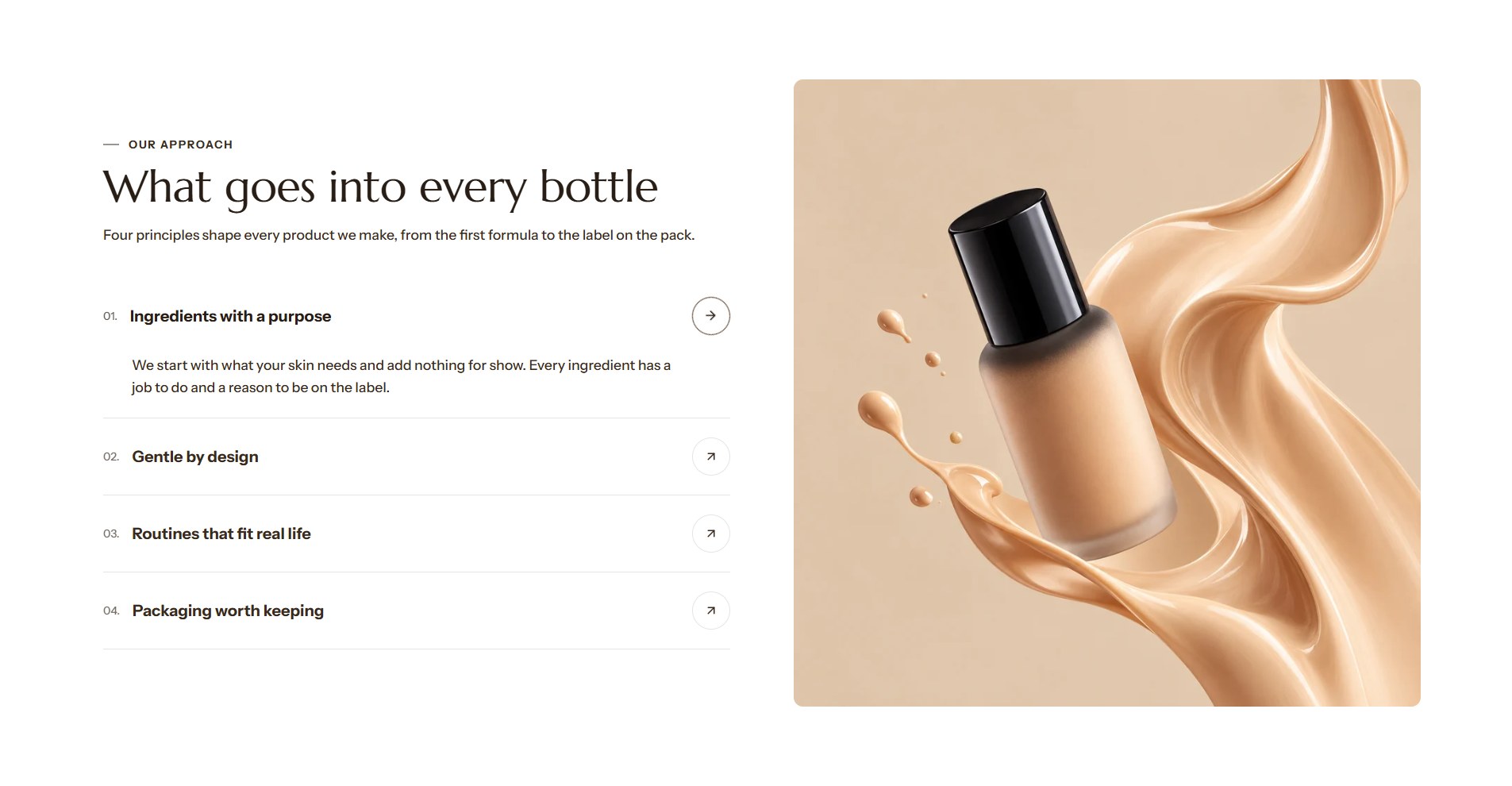
Collection tabs lists up to six collections as large, numbered rows beside a picture. One row is open at a time, with its description and a link; opening another row swaps the picture. The rows can advance on their own, with a thin line under the open row showing the time to the next.
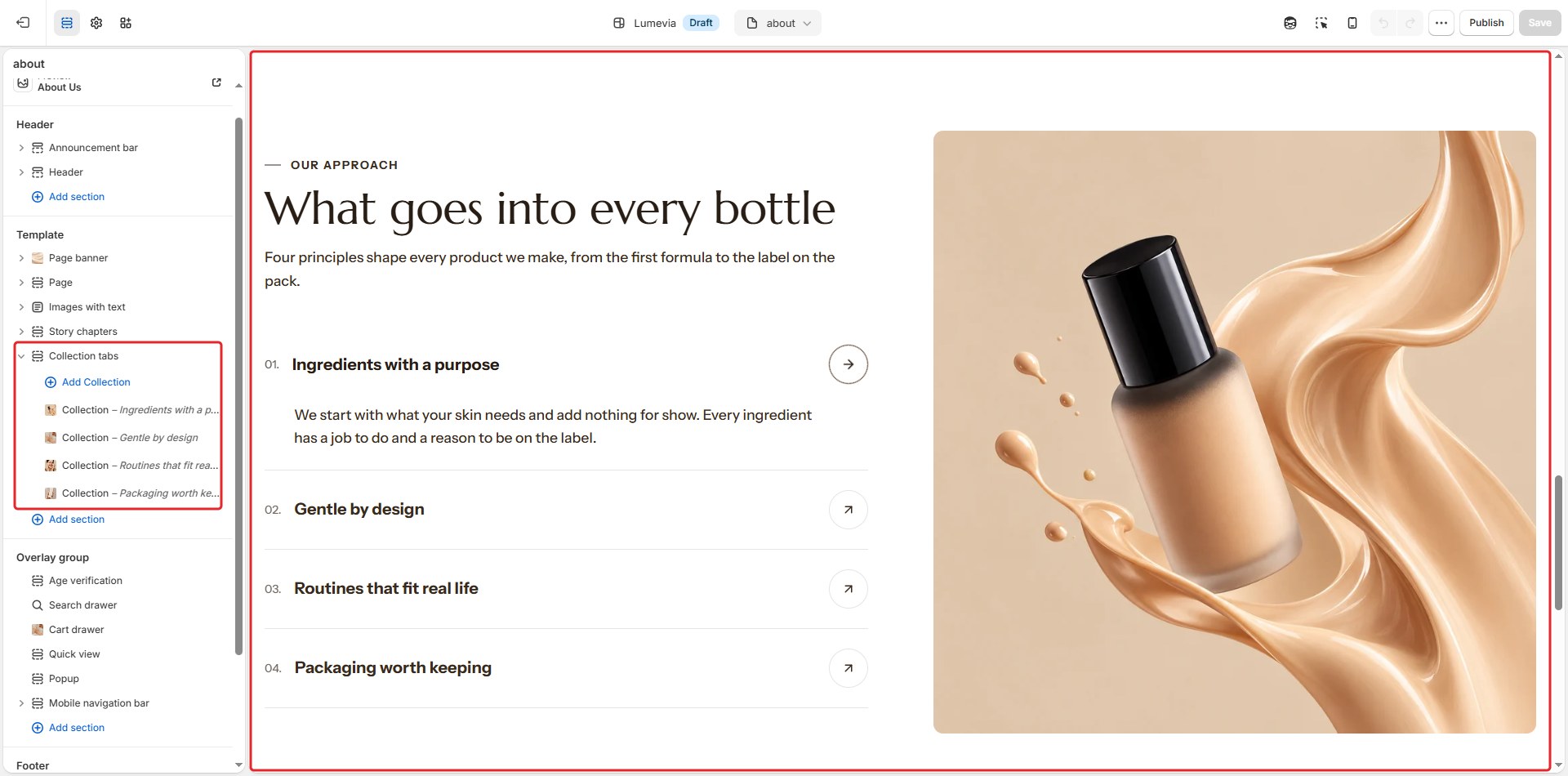
Find it in the editor
In the demo it is on the About page. To add it to any page, click Add section and choose Collection tabs. Each row is a Collection block inside it.
Section settings
General

| Setting | Description |
|---|---|
| Color scheme | The colors of this section. Schemes are edited in Theme settings → Colors. |
Section header

| Setting | Description |
|---|---|
| Subheading | A short line above the heading, with a small dash beside it. |
| Heading | The heading. Leave it empty to hide it. |
| Heading size | Medium or Large. Shown when the heading has text. |
| Backdrop word | A large outlined word behind the heading. One short word works best; it sizes itself to fit. |
| Description | A short text under the heading. |
| Alignment | Aligns the header to the left, center or right. |
| Alignment on mobile | The alignment below 768px. Same as desktop keeps the alignment above. |
| Header width | How wide the heading and description may run: Narrow, Medium, Wide or Full width. |
Tabs

| Setting | Description |
|---|---|
| Collection name size | Small, Medium or Large. |
| Collection name font | Display uses the heading font and Body the body font, both from Theme settings → Typography. |
| Show numbers | Numbers the rows: 01, 02, 03. |
| Description size | Small, Medium or Large. |
Image
| Setting | Description |
|---|---|
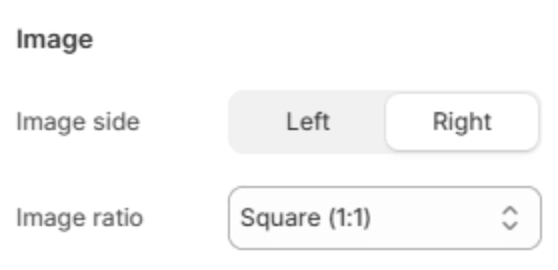
| Image side | Puts the picture on the Left or Right of the rows. |
| Image ratio | Portrait (3:4), Square (1:1), Landscape (4:3) or Wide (16:9). |
Behavior

| Setting | Description |
|---|---|
| Open on hover | Opens a row when the pointer reaches it. Off, a click opens it. |
| Auto-rotate | Opens the next row on its own, with a line under the open row filling up until it moves on. It waits while the section is off screen. |
| Seconds per collection | How long each row stays open (3–12s). Shown when Auto-rotate is on. |
Button

| Setting | Description |
|---|---|
| Button label | A button under the rows, for example to all collections. Leave it empty to hide it. |
| Button link | The page it opens. Shown when it has a label. |
| Button style | Solid or Outlined. Shown when it has a label. |
| Alignment | Aligns the button to the left, center or right. Shown when it has a label. |
| Alignment on mobile | The alignment below 768px. Same as desktop keeps the alignment above. Shown when it has a label. |
Section spacing

| Setting | Description |
|---|---|
| Use custom spacing | Gives this section its own top and bottom spacing. Off, it uses Section spacing from Theme settings → Layout. |
| Top spacing | Space above the section (0–200px). Phones get 60% of it and tablets 80%. Shown when Use custom spacing is on. |
| Bottom spacing | Space below the section (0–200px). Phones get 60% of it and tablets 80%. Shown when Use custom spacing is on. |
Blocks
Collection
One row. Add up to six with Add Collection under the section in the sidebar, and drag them to change their order.
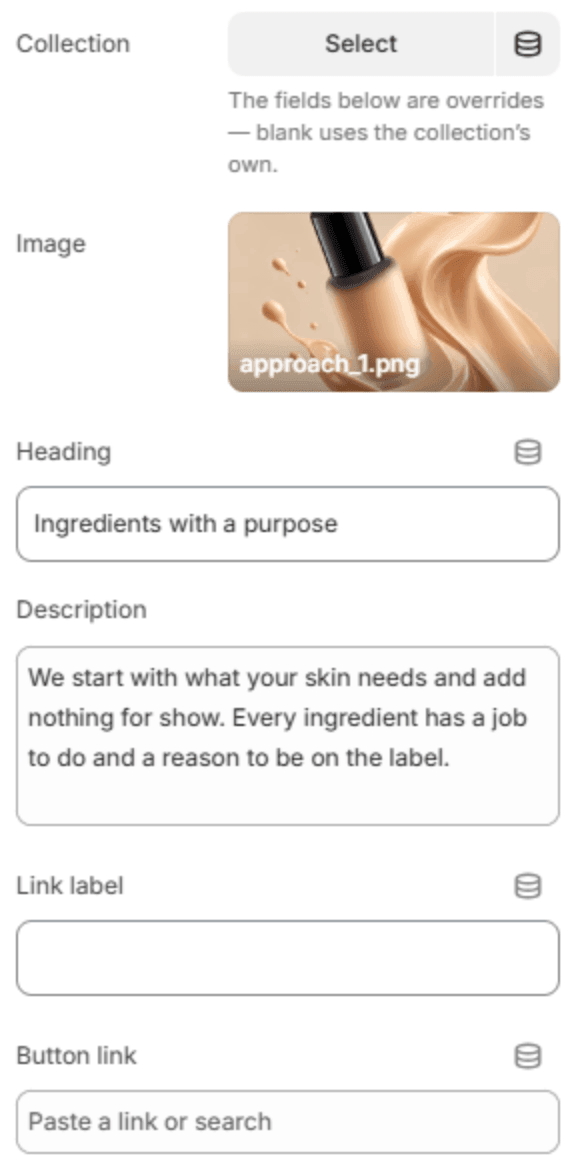
The fields under Collection are overrides: leave one blank to use the collection's own.
| Setting | Description |
|---|---|
| Collection | The collection the row shows. |
| Image | The picture shown while the row is open. Blank uses the collection's image. |
| Heading | The row's name. Blank uses the collection's title. |
| Description | A short text under the open row. Blank uses the collection's description. |
| Link label | The text of the row's link, for example Shop collection. |
| Button link | Where the link goes. Blank opens the collection. |