Appearance
Logo and branding
Vellure uses one logo for the whole store. The header, the password page, the popup and the age verification screen all read it from here, and search engines receive it as your brand's logo, so a new logo is changed in one place.
Open it from Theme settings (the gear icon at the top left of the editor) → Logo and branding.
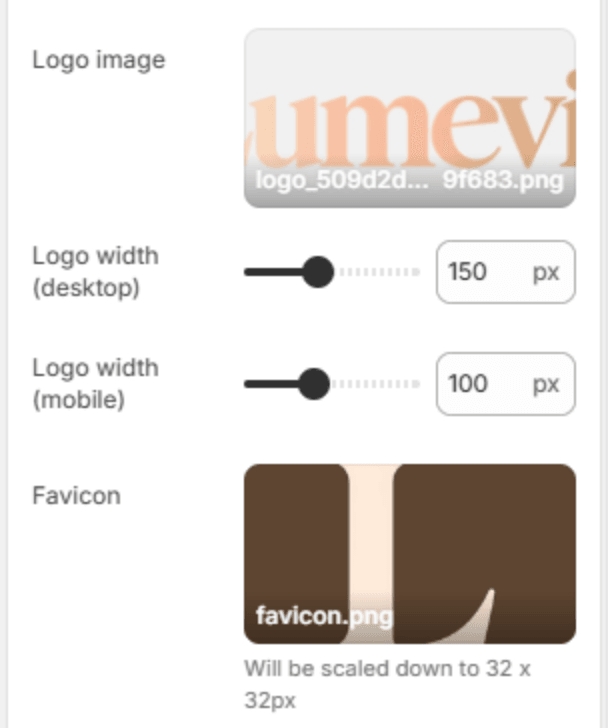
| Setting | Description |
|---|---|
| Logo image | Your logo. A transparent PNG or an SVG looks sharpest. Without one, the header shows your store name in the heading font. |
| Logo width (desktop) | The logo's width on a large screen (50–300px). The height follows the image's own shape. |
| Logo width (mobile) | The logo's width below 768px (40–200px), so a wide logo can be smaller on a phone without changing the desktop size. |
| Favicon | The small icon in the browser tab. It is scaled down to 32 x 32px, so use a square image with a simple mark rather than the full logo. |
Note
Upload the logo at twice the width you set here (for example 300px wide for a 150px logo). It then stays sharp on high-resolution screens.
Note
To show a logo in the footer, for example a white version on a dark footer, add an Image block to the footer. See Footer.