Appearance
Collection list page
The collection list page shows your collections as cards, so customers can browse every category in one place. Shopify serves it at /collections, and the theme fills it in on its own: new collections appear as you create them.

To open it in the editor, choose Collections list from the page menu at the top of the editor. A Page banner sits above the Collection list page section.
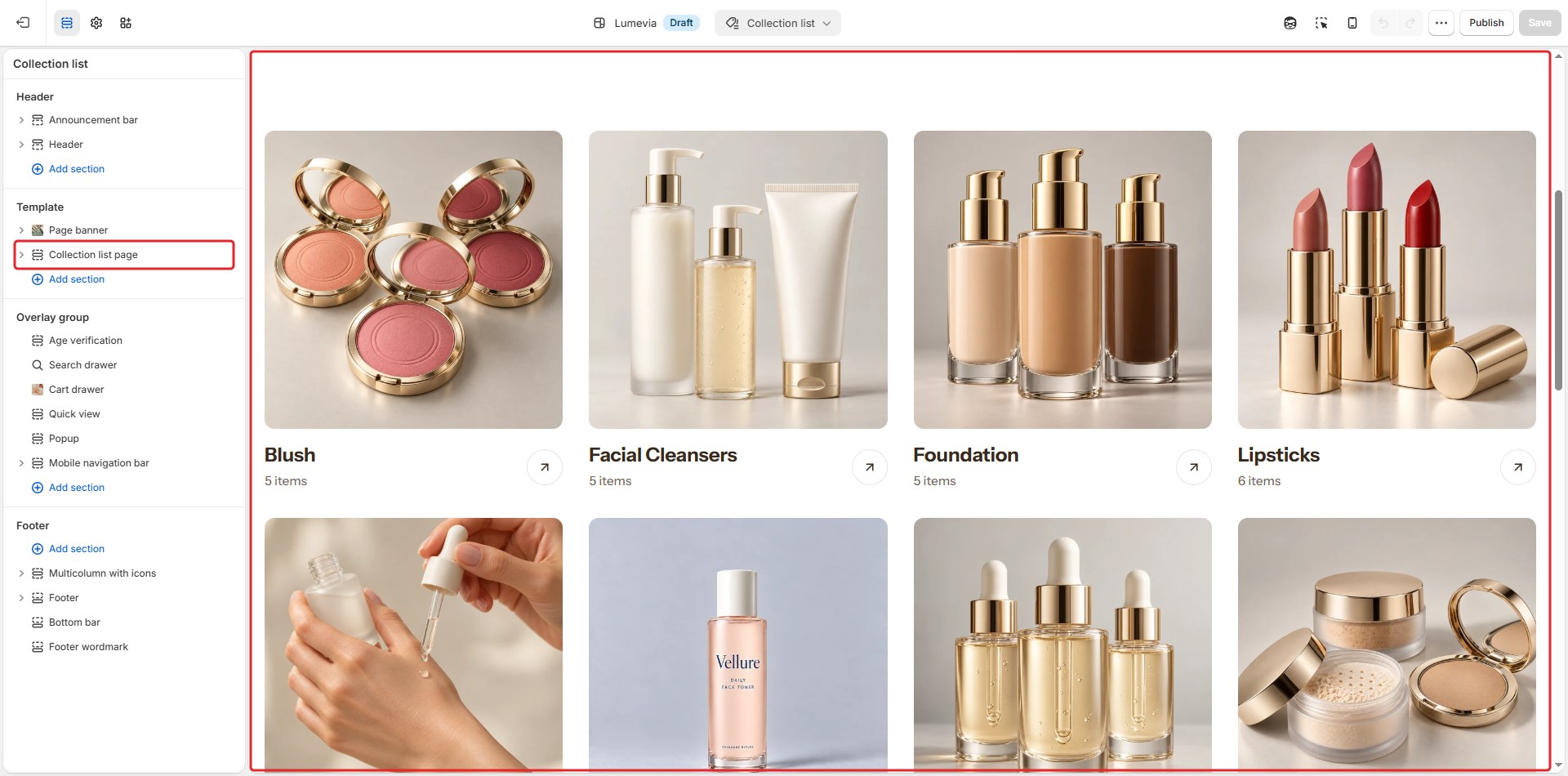
Section settings
General

| Setting | Description |
|---|---|
| Color scheme | The colors of this section. Schemes are edited in Theme settings → Colors. |
Section header
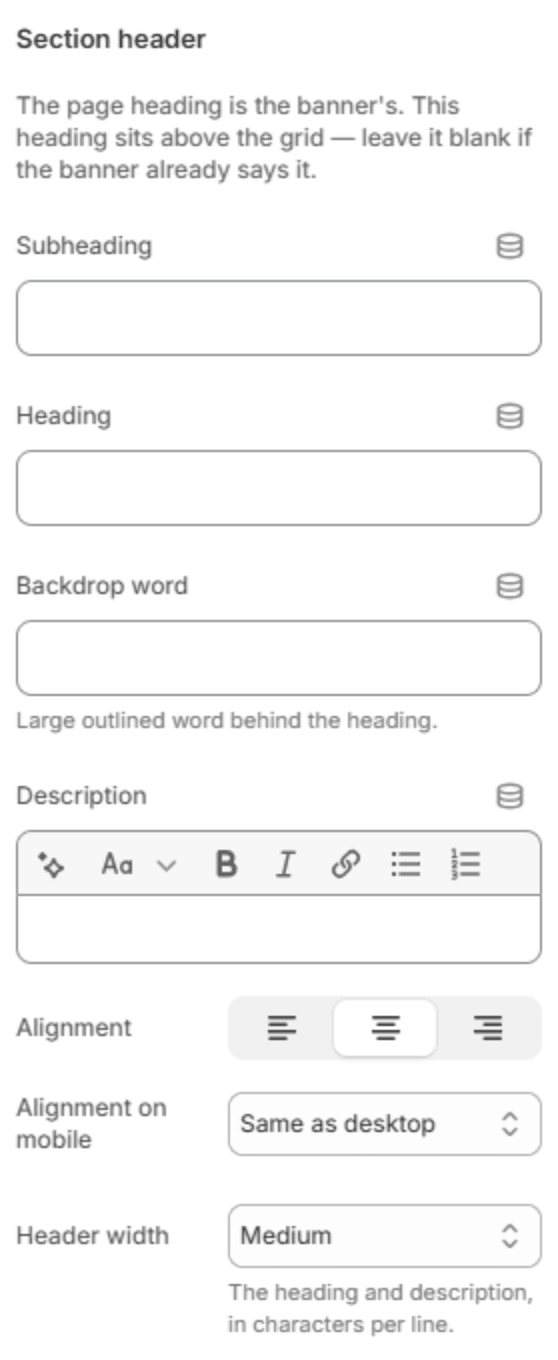
The page's main heading is in the page banner. This header sits above the grid; leave it blank if the banner already says it.
| Setting | Description |
|---|---|
| Subheading | A short line above the heading, with a small dash beside it. |
| Heading | The heading. Leave it empty to hide it. |
| Heading size | Medium or Large. Shown when the heading has text. |
| Backdrop word | A large outlined word behind the heading. One short word works best; it sizes itself to fit. |
| Description | A short text under the heading. |
| Alignment | Aligns the header to the left, center or right. |
| Alignment on mobile | The alignment below 768px. Same as desktop keeps the alignment above. |
| Header width | How wide the heading and description may run: Narrow, Medium, Wide or Full width. |
Collections
| Setting | Description |
|---|---|
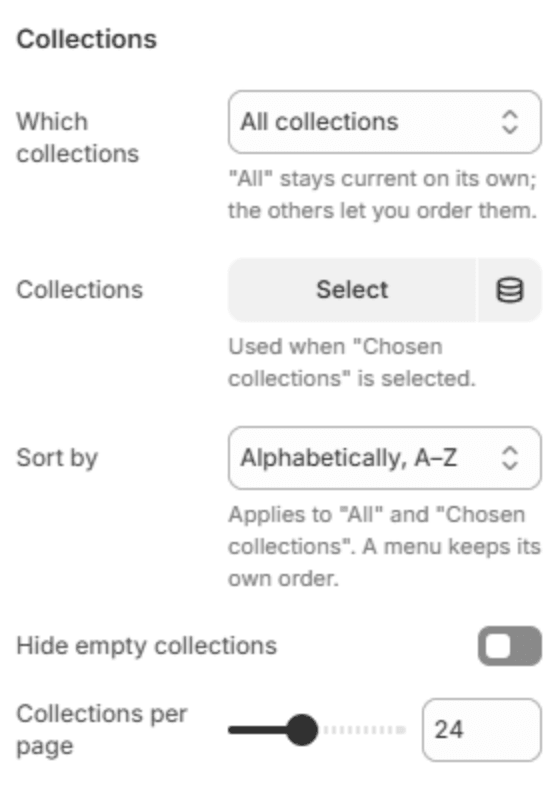
| Which collections | All collections keeps itself up to date; Chosen collections and From a menu let you pick them and their order. |
| Collections | The collections to show, used with Chosen collections. |
| Menu | The menu to take them from. Only its collection links are shown, under each link's own name. Shown when Which collections is From a menu. |
| Sort by | The order: alphabetically, by date, or by product count. It applies to All collections and Chosen collections; a menu keeps its own order. |
| Hide empty collections | Leaves out collections with no products. |
| Collections per page | How many cards load at a time (8–48). |
Card
| Setting | Description |
|---|---|
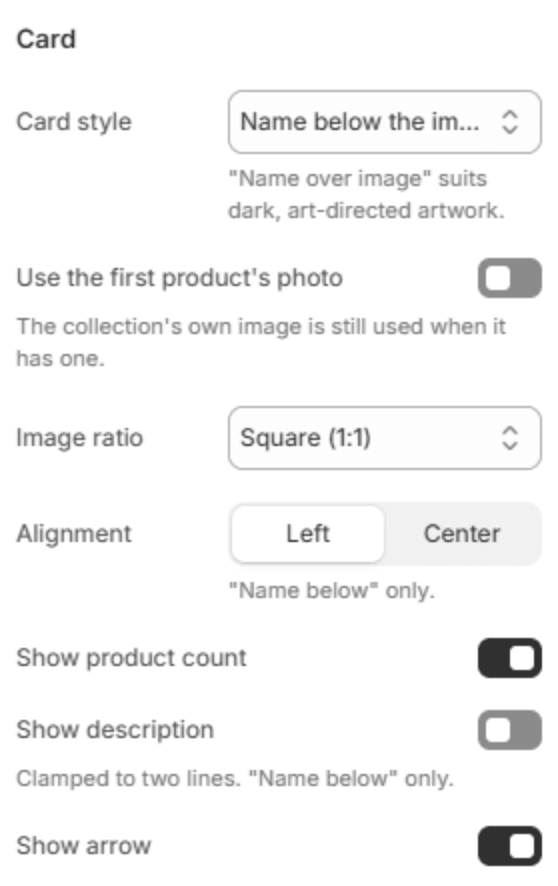
| Card style | Name below the image, or Name over the image, which suits dark, art-directed pictures. |
| Use the first product's photo | Uses a collection's first product photo when the collection has no image of its own. |
| Image ratio | Square (1:1), Portrait (3:4), Landscape (4:3) or Adapt to image. |
| Alignment | Lines the card's text up on the Left or in the Center. Shown when the name is below the image. |
| Show product count | Shows how many products each collection holds. |
| Show description | Shows the first two lines of each collection's description. Shown when the name is below the image. |
| Show arrow | Shows a small round arrow beside each name. Shown when the name is below the image. |
Layout

| Setting | Description |
|---|---|
| Columns on desktop | How many cards fit in a row from 1280px (2–5). |
| Columns on mobile | 1 or 2, below 640px. |
| Grid spacing | The space between cards: Small, Medium or Large. |
| Animate on scroll | The cards rise into place as they scroll into view. |
| Full width | Runs the grid from edge to edge instead of within the page width. |
Button

| Setting | Description |
|---|---|
| Button label | A button under the grid, for example to all products. Leave it empty to hide it. |
| Button link | The page it opens. Shown when it has a label. |
| Button style | Solid or Outlined. Shown when it has a label. |
| Alignment | Aligns the button to the left, center or right. Shown when it has a label. |
| Alignment on mobile | The alignment below 768px. Same as desktop keeps the alignment above. Shown when it has a label. |
Section spacing

| Setting | Description |
|---|---|
| Use custom spacing | Gives this section its own top and bottom spacing. Off, it uses Section spacing from Theme settings → Layout. |
| Top spacing | Space above the section (0–200px). Phones get 60% of it and tablets 80%. Shown when Use custom spacing is on. |
| Bottom spacing | Space below the section (0–200px). Phones get 60% of it and tablets 80%. Shown when Use custom spacing is on. |
Note
The Home page collection that Shopify creates for every store is a collection like any other. To keep it off this page, choose Chosen collections or From a menu.