Appearance
Map
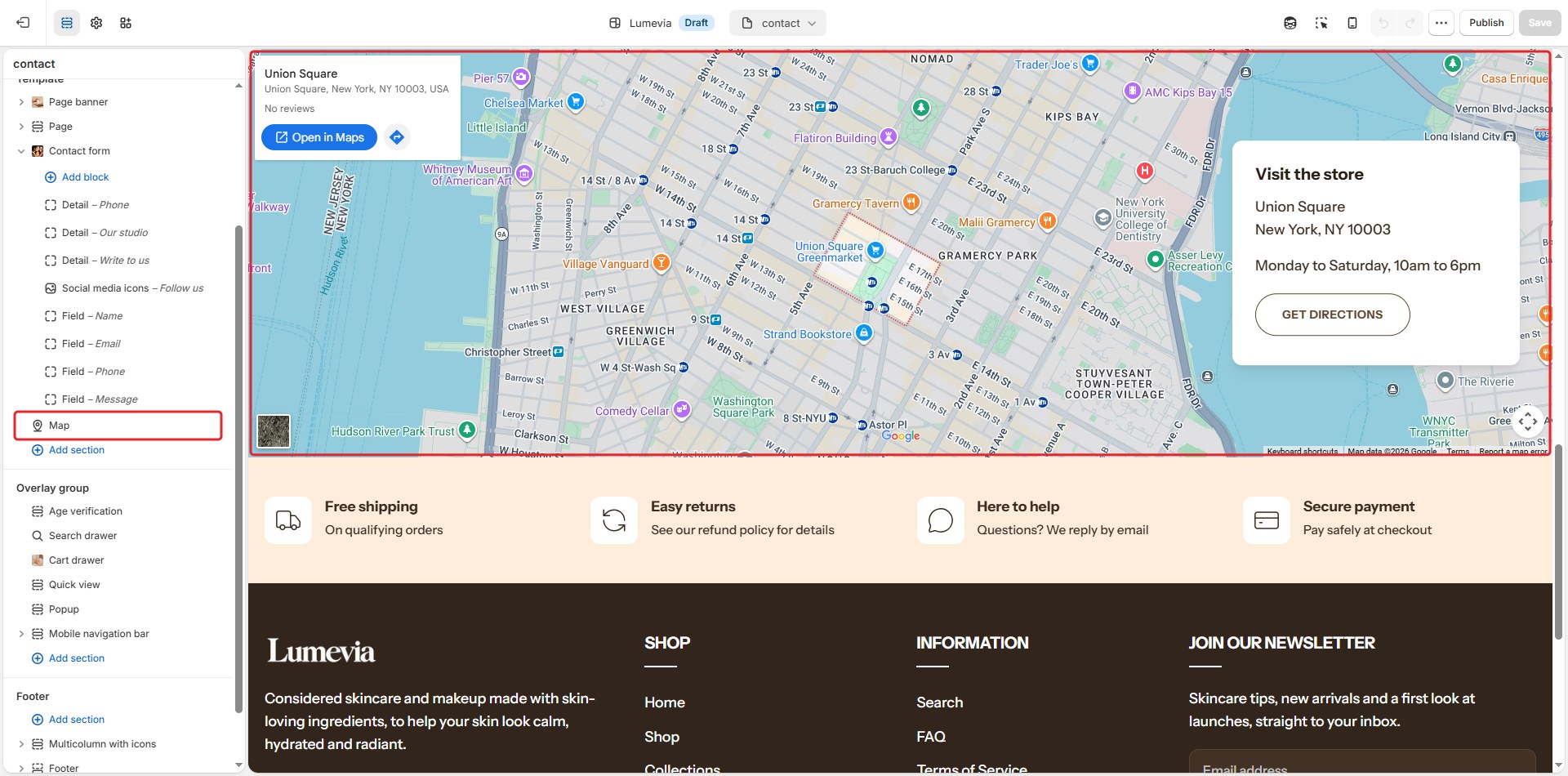
The map section shows where to find you: a Google map of your address, or a picture of your street, with a card for your address, opening hours and a Get directions button.

Find it in the editor
In the demo it is on the Contact page. To add it to any page, click Add section and choose Map.
Section settings
General

| Setting | Description |
|---|---|
| Color scheme | The colors of this section. Schemes are edited in Theme settings → Colors. |
| Animate on scroll | The map rises into place as the section scrolls into view. |
Section header
| Setting | Description |
|---|---|
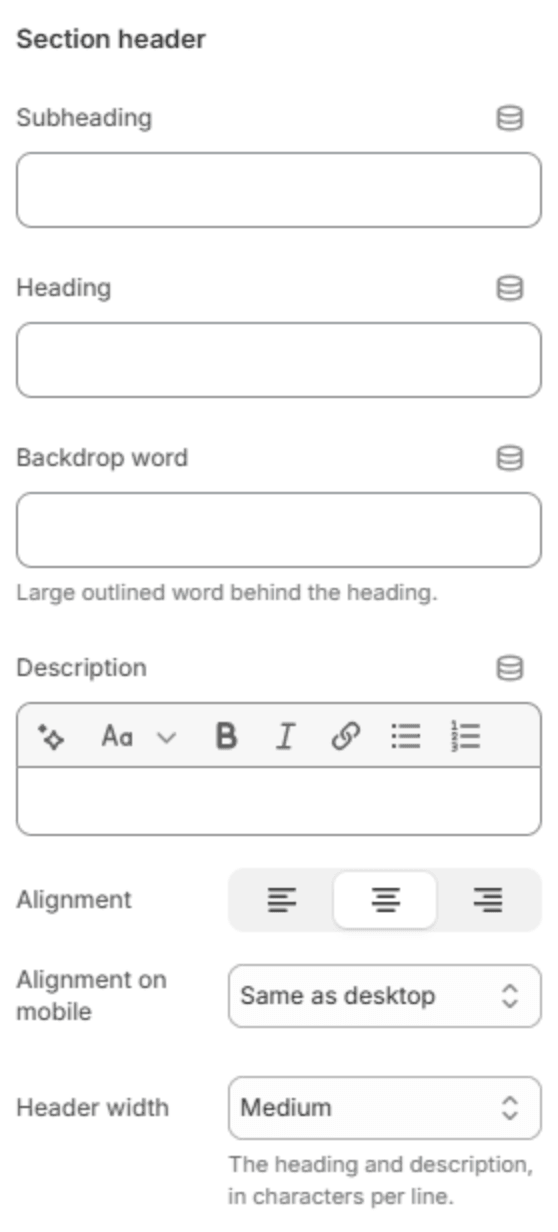
| Subheading | A short line above the heading, with a small dash beside it. |
| Heading | The heading. Leave it empty to hide it. |
| Heading size | Medium or Large. Shown when the heading has text. |
| Backdrop word | A large outlined word behind the heading. One short word works best; it sizes itself to fit. |
| Description | A short text under the heading. |
| Alignment | Aligns the header to the left, center or right. |
| Alignment on mobile | The alignment below 768px. Same as desktop keeps the alignment above. |
| Header width | How wide the heading and description may run: Narrow, Medium, Wide or Full width. |
Map

| Setting | Description |
|---|---|
| Map | From an address draws a Google map of the address below; From an embed code uses a map you created in Google Maps; An image instead shows the picture below, with no map. |
| Address | The address, written as you would type it into Google Maps. Shown when Map is From an address. |
| Zoom | How close the map starts (8–20). Higher is closer. Shown when Map is From an address. |
| Embed code | The code from Google Maps: open your place, then Share → Embed a map → Copy HTML, and paste it whole. Shown when Map is From an embed code. |
| Image | A picture of your location. It shows on its own with An image instead, and as a cover until the map loads. |
| Load the map on click | Shows the image, or a plain panel, until the visitor asks for the map, so Google isn't loaded for everyone who visits the page. Shown unless Map is An image instead. |
| Directions link | Where the Get directions button goes. Leave it blank to open directions to the address above in Google Maps. |
| Map height | Small, Medium or Large. |
| Full width | Runs the map from edge to edge instead of within the page width. |
| Allow full screen | Adds a button that opens the map full screen. Not available on iPhone. |
Address card

| Setting | Description |
|---|---|
| Show the address card | Shows a card with your address over the map. |
| Card position | Where the card sits over the map, from Top left to Bottom right. On a phone it is always below the map. Shown when the card is on. |
| Heading | The card's heading, for example Visit the studio. Shown when the card is on. |
| Card text | Your address and opening hours. Shown when the card is on. |
| Button label | The text of the directions button. Shown when the card is on. |
Section spacing
| Setting | Description |
|---|---|
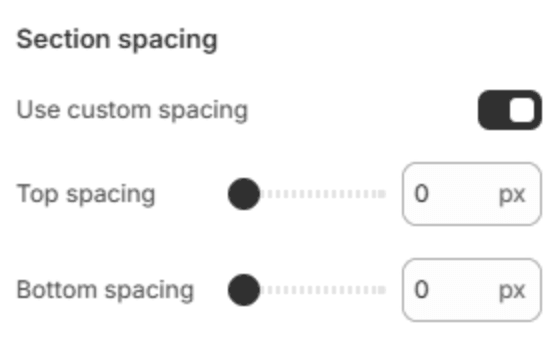
| Use custom spacing | Gives this section its own top and bottom spacing. Off, it uses Section spacing from Theme settings → Layout. |
| Top spacing | Space above the section (0–200px). Phones get 60% of it and tablets 80%. Shown when Use custom spacing is on. |
| Bottom spacing | Space below the section (0–200px). Phones get 60% of it and tablets 80%. Shown when Use custom spacing is on. |
Note
In some regions, privacy rules ask stores not to load services like Google Maps until a visitor agrees. Load the map on click does exactly that.