Appearance
Custom Liquid
Custom Liquid is an empty section for your own code: an app's snippet, an embed from another service, or a few lines of Liquid and HTML. It takes the theme's colors, page width and spacing, so whatever you add lines up with the sections around it.

Find it in the editor
Click Add section and choose Custom Liquid, then paste your code in Liquid code.
Section settings
General
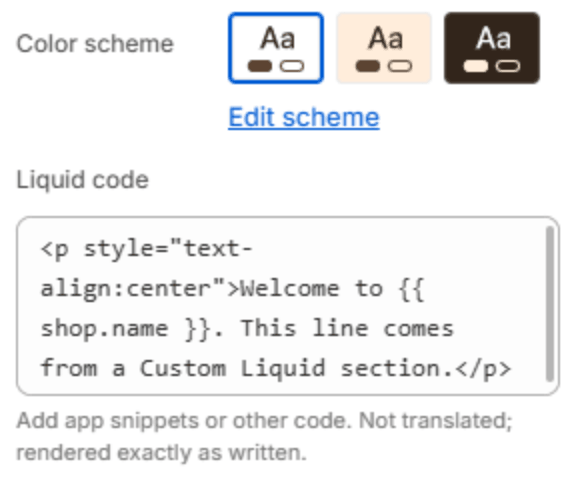
| Setting | Description |
|---|---|
| Color scheme | The colors of this section. Schemes are edited in Theme settings → Colors. |
| Liquid code | Liquid, HTML or an app's snippet. It is shown exactly as written and is not translated. |
Layout

| Setting | Description |
|---|---|
| Full width | Lets the content use the full width of the screen instead of the page width. |
Section spacing

| Setting | Description |
|---|---|
| Use custom spacing | Gives this section its own top and bottom spacing. Off, it uses Section spacing from Theme settings → Layout. |
| Top spacing | Space above the section (0–200px). Phones get 60% of it and tablets 80%. Shown when Use custom spacing is on. |
| Bottom spacing | Space below the section (0–200px). Phones get 60% of it and tablets 80%. Shown when Use custom spacing is on. |
Important
Code you add here is yours to maintain: it is not covered by the theme's support, and a mistake in it can break the page. Test it on a copy of your theme first: in Online Store, open the theme's ⋯ menu and choose Duplicate.
Note
Most apps no longer need code: they add app blocks and app embeds that you place from the editor instead. Use Custom Liquid only when an app or service gives you a snippet to paste.